Lineage Matrix System for Generative Virtual Production
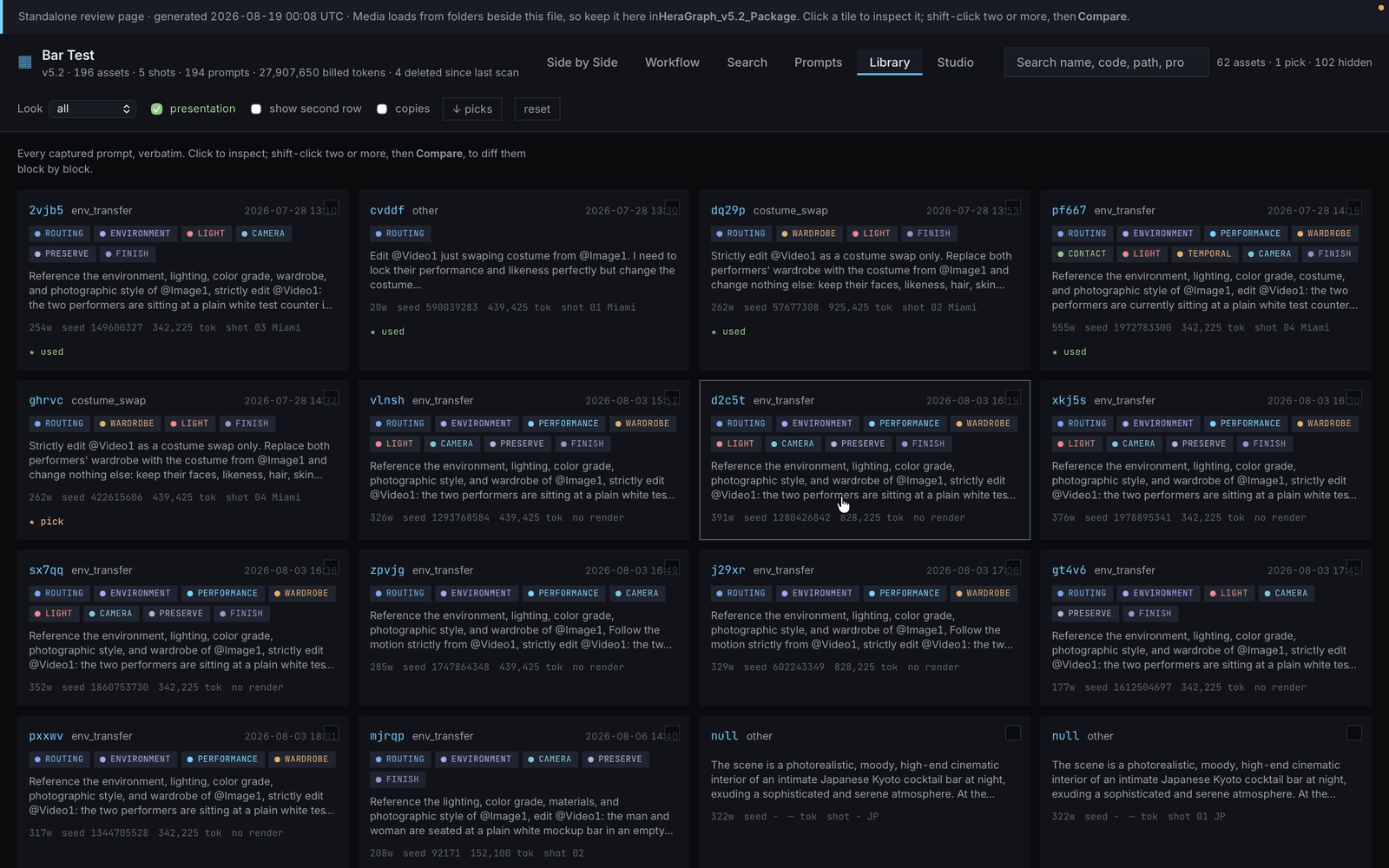
A lineage matrix for generative media production. It tracks every asset, how assets relate to each other, which production stage each one belongs to, and the prompt and render setup behind it. It reads the existing production folders, rebuilds the full lineage of each render, and shows it all on one self-contained page. Any render can be exported as a reusable recipe (plate, references, prompt, seed and model) to run again or change. Tested on 172 assets across four archives, including 62 renders, 295 links and 66 prompts.
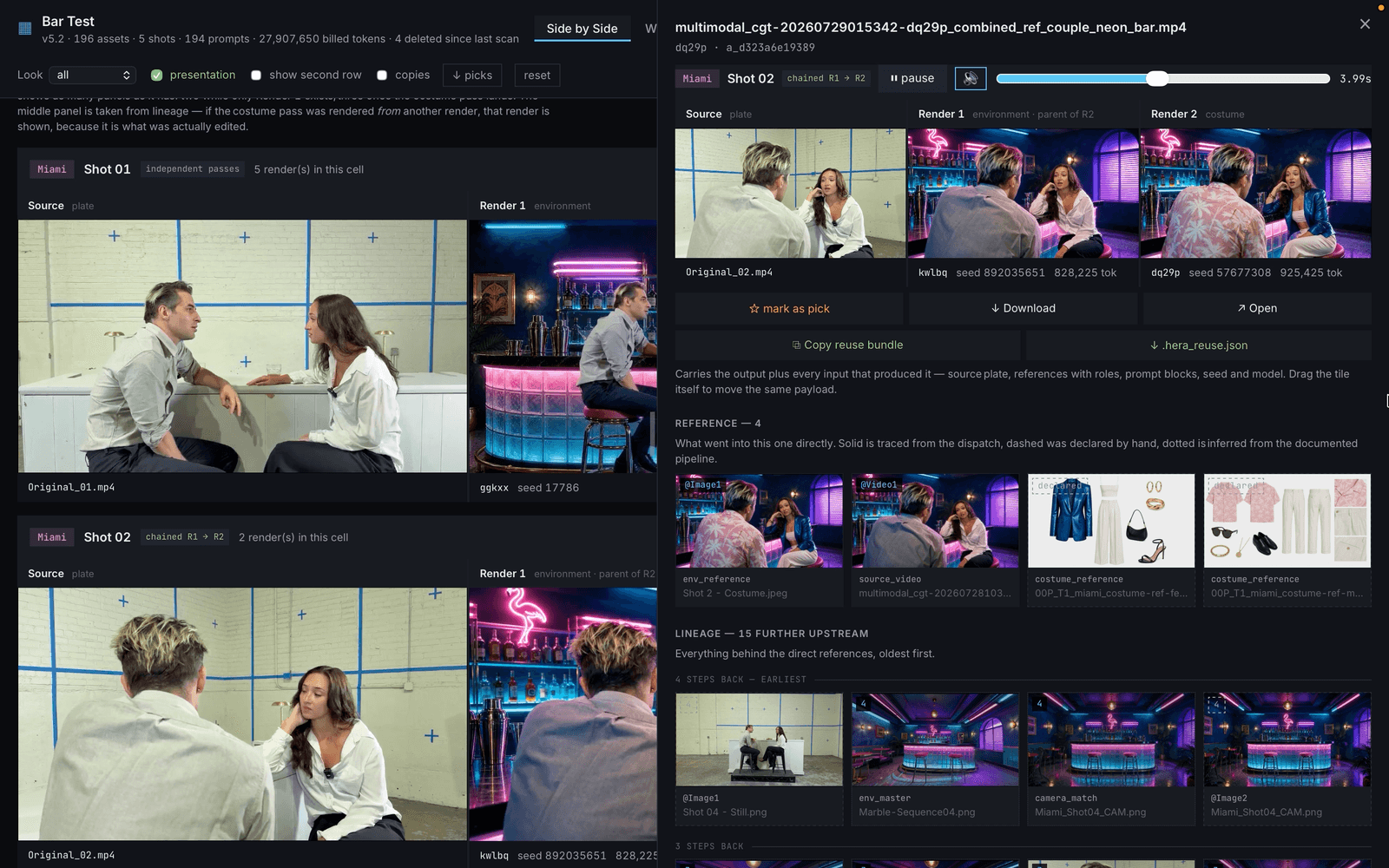
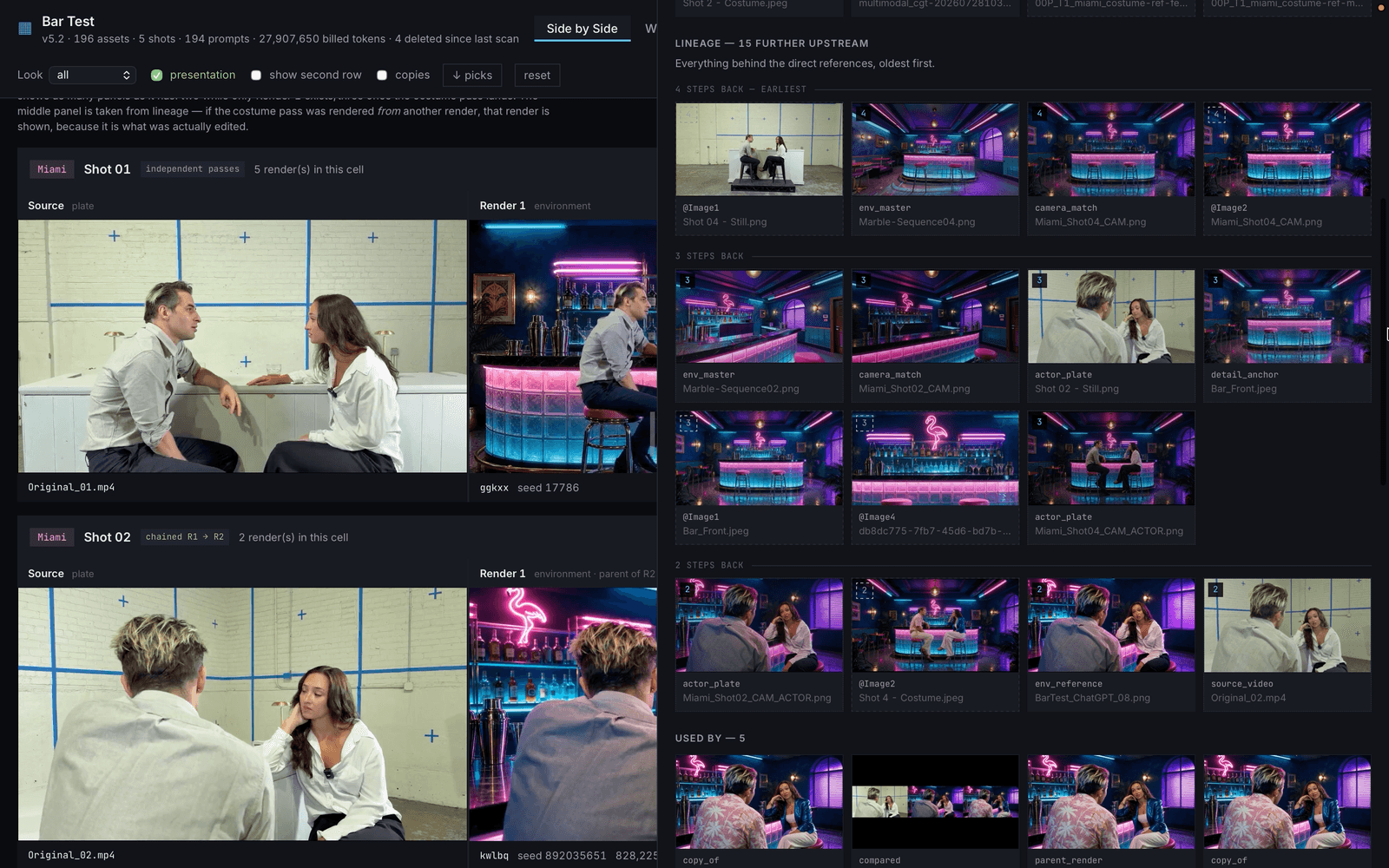
Why Lineage
An AI render carries many variables: the plate, the references, the prompt, the seed, the model. Change one slightly and the result changes. Picking the best render wasn't enough; we needed to know why it worked and under what conditions. Above all, we needed to find the prompts and asset references, such as costumes, that the video model (Seedance 2.5) understood best. The lineage matrix is how we kept track.
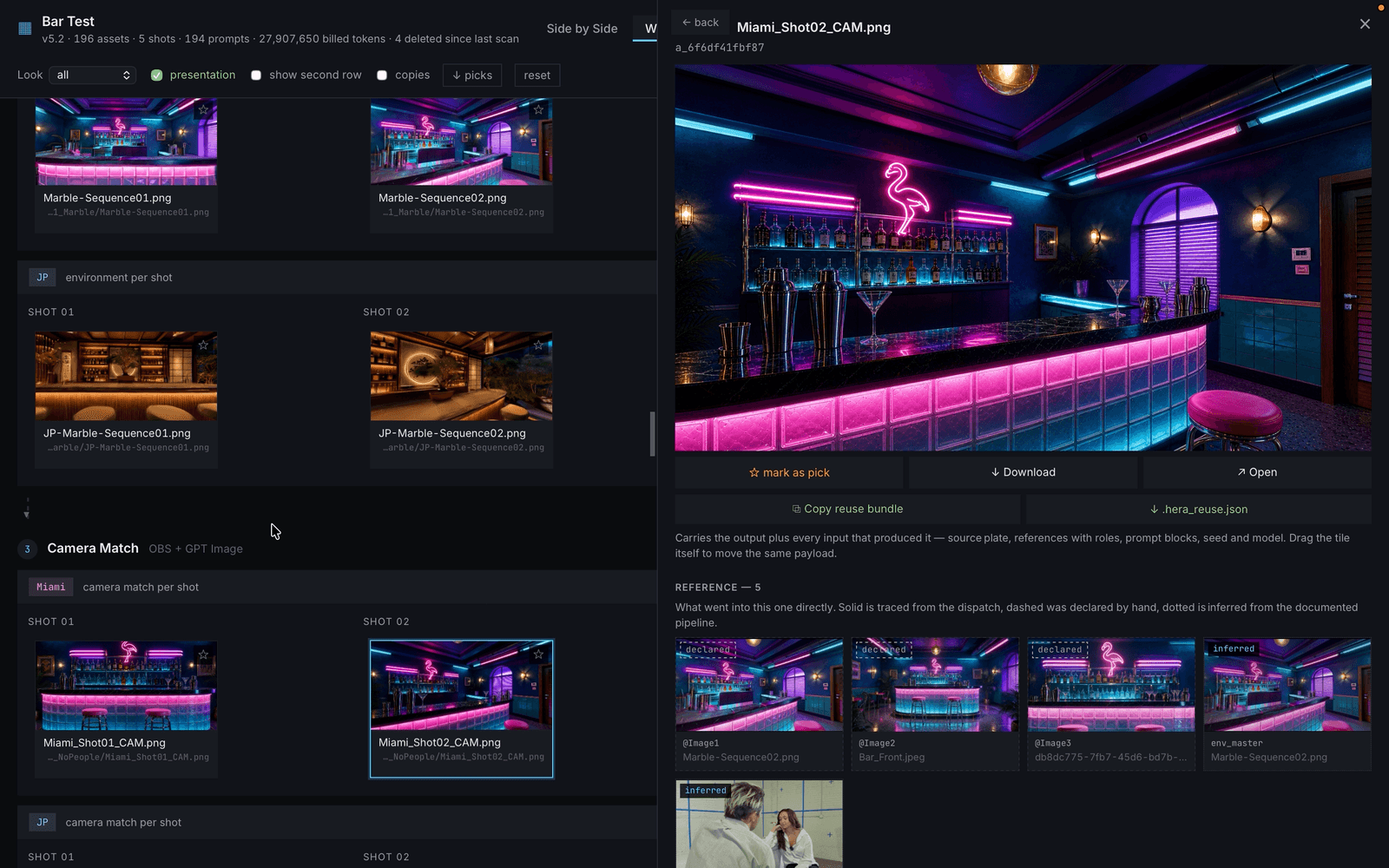
Spatial Memory with Marble
Video models are weak at spatial memory, so continuity needs something to hold the space in place, even a rough 3D mesh. That's where Marble came in. Its Gaussian Splat environment isn't perfect, but once its camera is matched to the composition we shot on set, it gives the video model a strong enough guide. Fragile details that would otherwise drift, like a cup on the bar, stay anchored to the mesh.
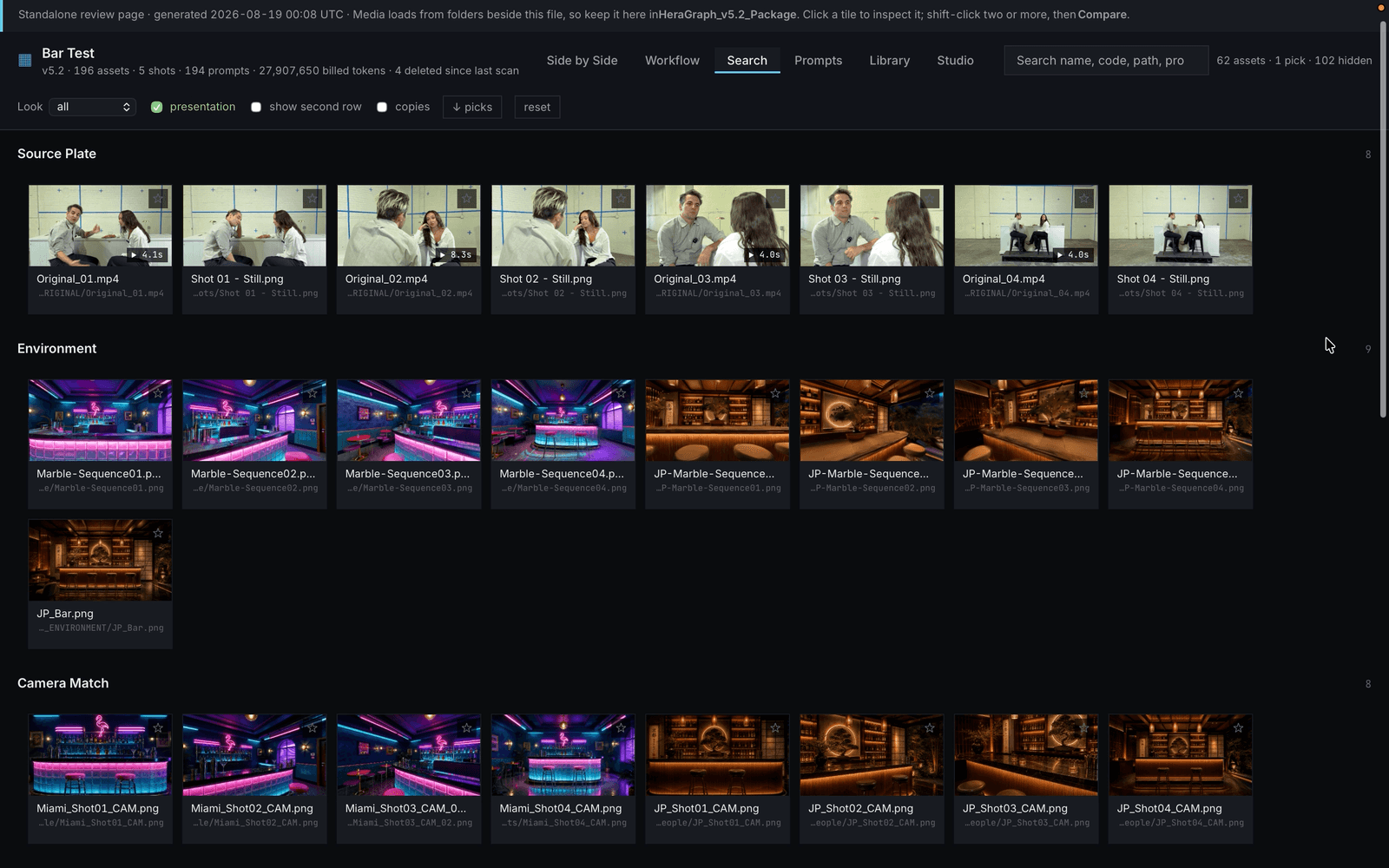
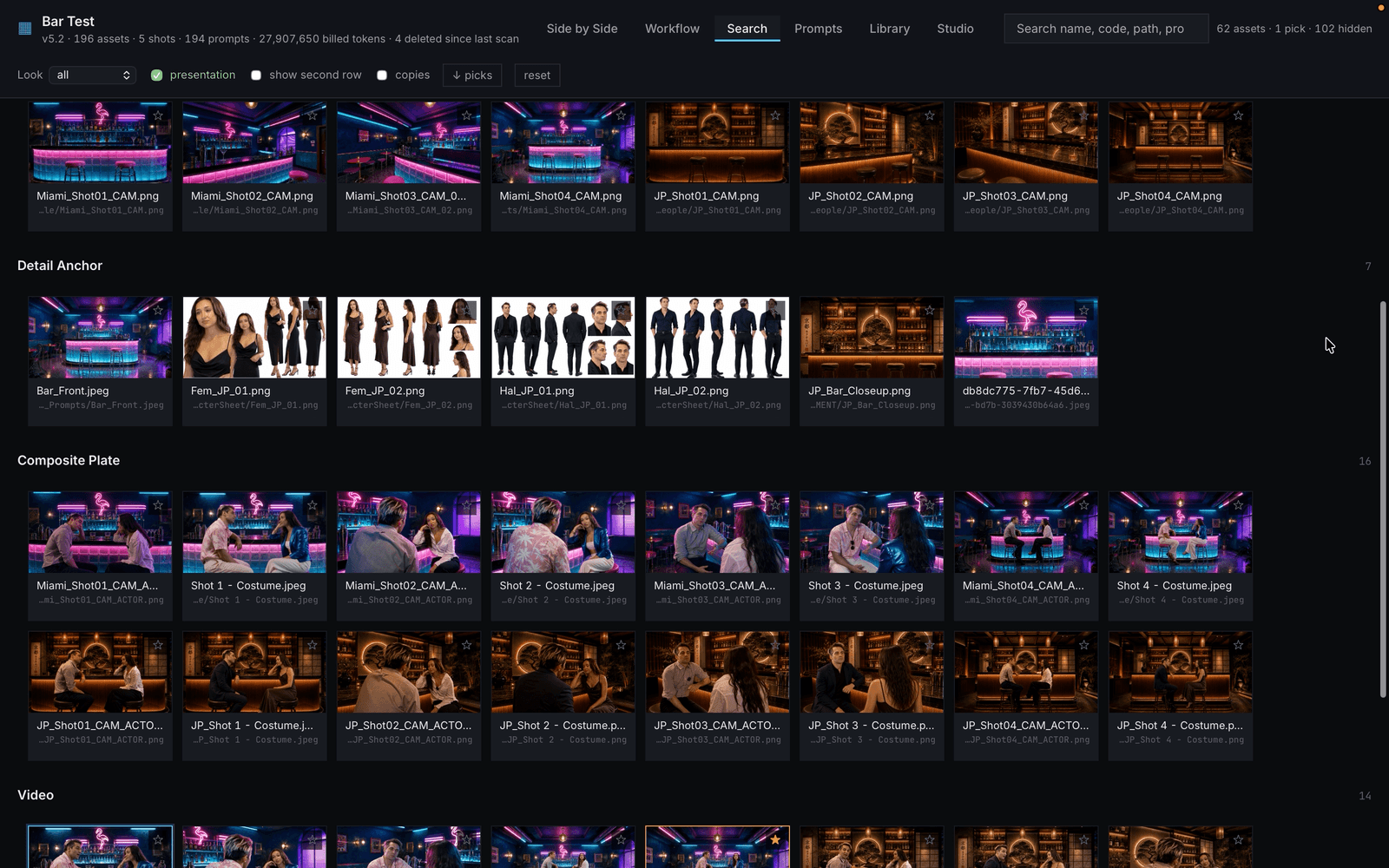
Every Step, at a Glance
Every render can be checked stage by stage, all on one page. That makes communication across the team easier: you can see where a problem started, and which part of which stage is worth trying differently.
This tool was developed during Hera's internship as a Creative Engineer at Zerospace (Brooklyn, NY) in Summer 2026.
